
B2B sales teams lose deals in places that don’t show up on dashboards, and scheduling is one of them.
When meetings get stuck in email threads, routed to the wrong rep, missed due to time zone issues, or dropped during handoffs across the sales team, the buyer experience takes a hit. High-intent prospects lose interest after too much back-and-forth, while reps spend valuable time resolving coordination issues rather than selling.
The best way to fix this is to use a meeting scheduler designed specifically for B2B sales motions, not generic calendar-sharing. These tools support multi-calendar syncing, automatic routing, and clean handoffs while integrating directly with CRMs and revenue workflows.
What is a meeting scheduler tool for B2B sales?
A meeting scheduler tool for B2B sales is software that helps revenue teams book, manage, and track sales meetings without the constant back-and-forth that usually slows deals down. It connects calendars, availability rules, and prospect data so meetings get scheduled at the right time, with the right people, and with the right context attached.
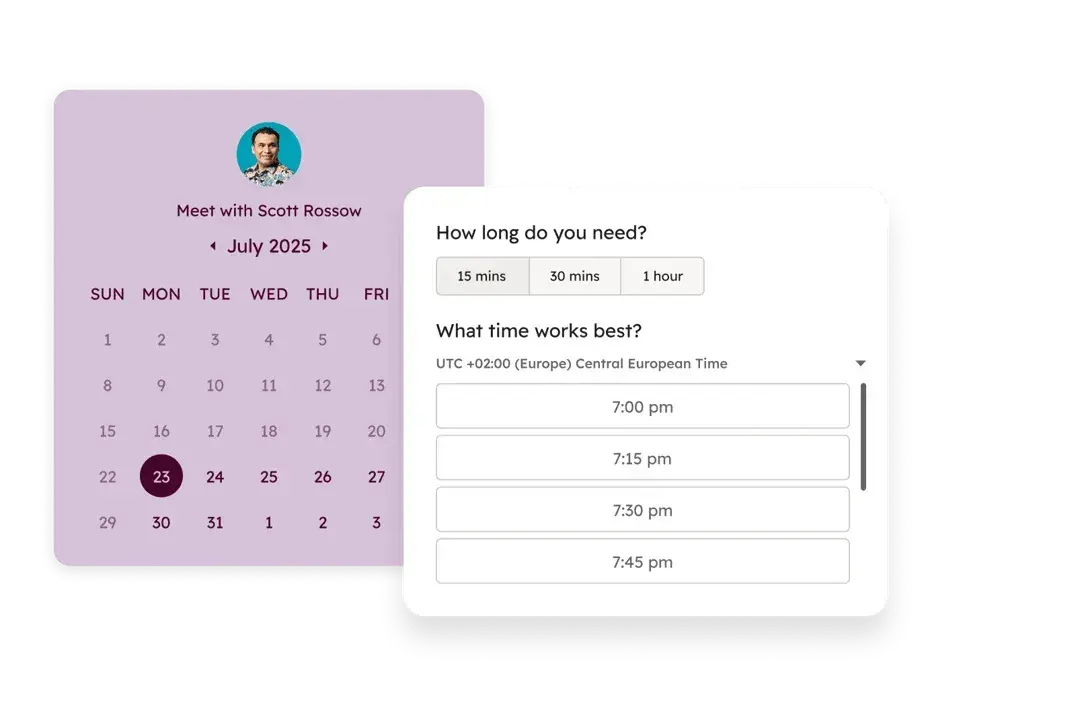
A strong meeting scheduler tool helps B2B sales teams in the following ways:
- Automating scheduling and logistics. The tool syncs availability, time zones, and booking rules automatically, so prospects can book meetings when a rep is available. Once a prospect books a meeting, the tool handles confirmations, calendar invites, and updates, so reps spend less time coordinating and more time selling.
- Improving lead qualification and management. Instead of treating every booking the same, the scheduler can route meetings based on lead quality, deal size, or lifecycle stage. This ensures high-intent prospects reach the right rep, while lower-quality leads follow a different path without clogging sales calendars.
- Driving higher meeting attendance and follow-ups. Automated reminders and confirmations reduce no-shows, which directly impact pipeline efficiency. After the meeting, the tool can automatically trigger follow-ups or log activity, helping teams maintain momentum without having to do everything manually.
- Supporting faster, cleaner sales handoffs. The tool connects meetings directly to CRM records, which keeps handoffs between marketing, SDRs, and account executives consistent. Reps also see the meeting’s context ahead of time, so they join calls prepared instead of searching for details while already talking to prospects.
- Creating visibility for sales managers and operations teams. Scheduling data shows who books meetings, which sources convert, and where drop-offs happen. This insight helps leaders optimize routing rules, capacity planning, and overall performance across the revenue team.
What features make a meeting scheduling tool a good fit for B2B sales teams?
Not every scheduling tool works well for B2B sales. The best meeting scheduling tools for B2B sales teams support complex workflows, shared ownership of leads, and the need to move fast without breaking internal processes.
Below are the features that separate a basic calendar link from a great B2B sales meeting scheduling tool.
1. Multi-Calendar Syncing
Multi-calendar syncing combines all the calendars a rep uses into one source of availability, then updates that availability in real time as meetings, blocks, or recurring commitments change.
For example, if a rep uses Google Calendar for internal meetings and customer calls, blocks “deal desk” time on a shared team calendar, and manages personal commitments on a separate calendar, a good meeting scheduling tool only shows dates and times that work across all three calendars.
This removes unnecessary back-and-forth, prevents last-minute apologies, and keeps meetings from stalling the sales process before it even starts.
2. Automatic Time Zone Detection
Automatic time zone detection identifies a prospect’s location and displays available meeting times in their local time, so they can book without doing any manual time conversion. For example, a rep in New York can share a booking link with a prospect in Berlin, and the prospect sees options in Central European Time, not Eastern Time.
This prevents confusion, missed meetings, and awkward follow-ups to reschedule calls booked at the wrong time. Over time, this improves show rates and creates a smoother buying experience, especially for global or distributed sales teams.
3. Buffer Time Rules
Buffer time rules add intentional gaps before or after meetings to give reps space between calls. Once a meeting is booked, the scheduler automatically blocks off that buffer so no one can schedule over it.
For instance, a sales rep might need ten minutes after a discovery call to write notes, update the CRM, or prepare for the next conversation. Buffer rules enforce that time across every booking, which prevents calls from clashing and helps reps stay focused and prepared throughout the day.
4. Round-Robin Scheduling
Round-robin scheduling automatically distributes meetings across a group of reps based on availability and predefined rules. Instead of prospects choosing a specific rep, the tool assigns each new meeting to the next eligible person, keeping workloads balanced across the team.
For example, if five SDRs handle inbound demo requests, round-robin scheduling ensures each rep receives a fair share of meetings rather than one or two reps getting overloaded. This helps teams respond faster, protect rep capacity, and avoid situations where good leads sit untouched simply because scheduling wasn’t evenly managed.
5. Automated Reminders and Follow-ups
Scheduling tools with this feature automatically send timely messages to prospects before and after meetings without relying on reps to trigger it. These messages can go out by email or SMS and typically include meeting confirmations, pre-meeting reminders, and follow-ups if a meeting is missed or completed.
For example, once a prospect books a product demo, the tool can send a confirmation email immediately, a reminder the day before, and another shortly before the meeting with the call link. If the prospect doesn’t show up, the system can follow up automatically with a rescheduling option.
This reduces no-shows, keeps conversations moving, and helps sales teams recover meetings that would otherwise fall through the cracks.
6. Intelligent Lead Routing and Qualification
Instead of sending every booking to the same queue, a scheduling tool with intelligent lead routing and qualification assigns meetings based on who the prospect is and how valuable the opportunity looks. It uses rules based on company size, location, product interest, or intent signals to determine who should attend the meeting.
For example, if a prospect from a 500-employee company books a demo, the tool can route that meeting to a mid-market or enterprise rep, while smaller companies are routed to an SMB team or go on a qualification call first.
This protects senior reps’ time, speeds up response for high-value leads, and ensures prospects speak with the right person from the start.
7. Bi-directional CRM Integration
Bi-directional CRM integration connects the meeting scheduler directly to the team’s CRM so meeting activity and deal data stay aligned automatically. When a prospect books, reschedules, or cancels a meeting, the CRM updates right away, without reps logging anything by hand.
If a lead’s status changes after qualification or enrichment, the scheduling workflow updates as well. For example, a prospect might book an initial call with an SDR, then get assigned to an account executive based on deal size, and the next meeting is scheduled and logged under the correct deal automatically.
This keeps ownership clear, handoffs clean, and reporting accurate without follow-up work from sales or RevOps teams.
8. Analytics and Performance Tracking
A good scheduling tool for B2B sales teams typically tracks metrics like booking volume, show rates, no-shows, response times, and meeting outcomes across reps, teams, and lead sources. This data gives sales leaders visibility into how meetings turn into pipeline and helps teams spot patterns that aren’t obvious day to day.
For instance, a manager might notice strong booking rates from a campaign but low attendance, or see that certain reps carry heavier meeting loads than others. With that insight, teams can adjust routing rules, reminders, or capacity before scheduling issues begin to affect revenue.
Choosing the right B2B meeting scheduling tool means evaluating which of these features align with your team’s size, sales motion, and existing tech stack. The stronger the fit, the less time your team spends on coordination and the more time they spend closing deals.