Sure, verification can feel like a status symbol, but there are also some really practical reasons you might want that blue check on your Instagram account.
Verification helps Instagram users find real news sources and can help stop impersonation, among other things.
Getting verified adds credibility to any account, which is why so many creators and businesses are interested in that blue check. With Meta Verified, verification is now available to more people through a monthly subscription, not just public figures.
Key Takeaways
- Two paths to verification: You can get a blue check either through a paid Meta Verified subscription or by proving you are a “notable” public figure.
- Meta Verified requirements: Costs start from $14.99/month. You’ll also need a government ID, two-factor authentication, and a profile photo showing your face.
- Notable figure requirements: Must represent a real, well-known entity with multiple non-paid media mentions and a complete profile.
- Core benefits: Verification increases account credibility and provides proactive protection against impersonation.
- Timeline: Meta Verified typically takes 48 hours, while notable figure applications can take up to 30 days.
What Does It Mean to Be Verified on Instagram?
Being verified on Instagram means your account has been confirmed as belonging to a real, notable person, brand, or entity, or that you’ve subscribed to Meta Verified. You’ve almost certainly seen the blue check next to an account’s name on Instagram — that’s the verification badge in action.
Before the introduction of Meta Verified, that verified badge meant that Instagram had confirmed that the account was both authentic and represented a notable brand or influencer, public figure, or celebrity.
But now Meta Verified offers another route to the verified badge, and Meta (the company that owns Instagram and Facebook) wants to make it clear there’s a difference between the two.
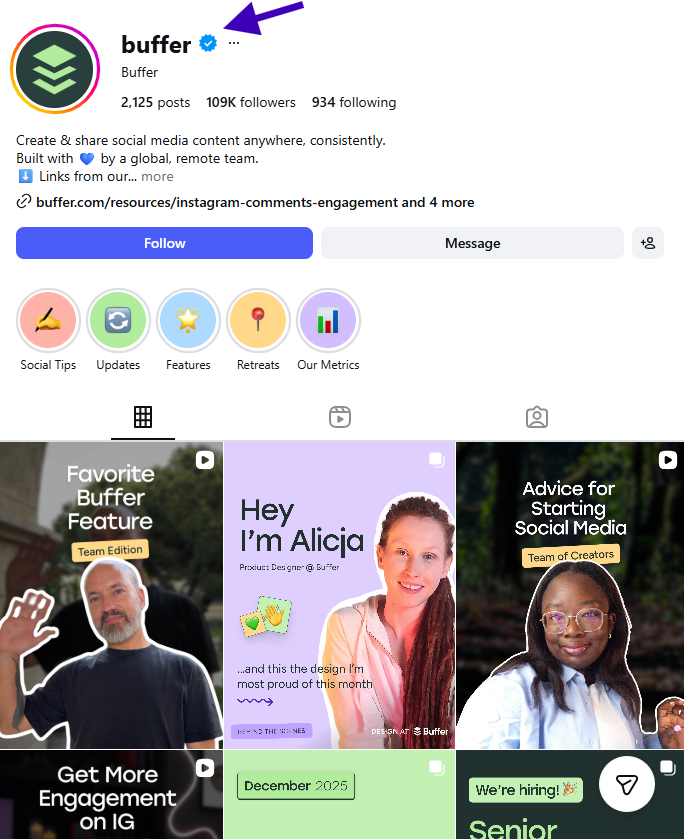
Both paths get you the blue check, but Meta does want to make the distinction clear. Here’s how they explain it in Instagram’s Help Center:
- Verified badges mean an account has been verified based on their activity across Meta products and information or documents they provide.
- Meta Verified is a paid subscription that comes with benefits like the verified badge, enhanced support, impersonation protection, and more.
| Feature | Meta Verified | Verified Badge (Notable) |
|---|---|---|
| Cost | $14.99 per month | Free |
| Eligibility | ID verification and active subscription | Public interest and notability |
| Primary purpose | Validation and account protection | Authenticity for public figures |
| Key benefit | 24/7 email or chat agent support | Authenticity and credibility |
| Extra perks | Upgraded profile features (e.g., images on links) | None |
What Are the Benefits of Getting Verified on Instagram?
A verified badge tells Instagram users that an account is authentic. According to Meta, the badge means your profile was verified based on your activity across Meta technologies, or information and documents you provided. In short, it represents who it says it does.
There are a number of benefits to Instagram verification. If you are a brand or business, getting verified could be a powerful tool in your social media marketing strategy:
- It adds credibility. This can be key if you’re sharing important research, news, or articles.
- Verification assists with impersonation issues. Instagram won’t verify more than one instance of a person or brand, so you can generally trust that the one that is verified is the real account.
- You may have seen claims that verified accounts get higher reach and engagement, but that has not been confirmed.
If you opt to go the Meta Verified subscription route, you can expect some extra benefits:
- Account protection. Get added protection from impersonation with proactive account monitoring. Meta will remove accounts that they determine are pretending to be you.
- Customer support. Access 24/7 email or chat agent support for subscription and account issues.
- Upgraded profile features. Enrich your profile by adding images to your links, which can help boost engagement. (This feature may not be available in all regions yet.)
- There are rumors of higher reach and engagement with Meta Verified, but independent testing has found that it has little effect on content performance.
It’s also worth noting that Meta Verified is available for both individual creators and businesses, with plans tailored to each.
1. Get Verified on Instagram with Meta Verified
There are two ways to get your verified badge on Instagram. The easiest is through Meta Verified. Here’s how to go that route.
Step 1. Make Sure You Meet the Meta Verified Eligibility Requirements
To subscribe to Meta Verified, you’ll need:
- To be at least 18 years old
- A public or private profile that’s associated with your full name and has a profile photo that includes your face
- To meet minimum activity requirements, such as prior posting history
- A valid photo ID that matches your profile name and profile picture
- Two-factor authentication enabled on your profile
- To follow Instagram’s Terms of Use and Community Guidelines
Step 2. Sign Up for Meta Verified via Instagram
- Head over to your Instagram profile by tapping your profile picture on the bottom right of the app.
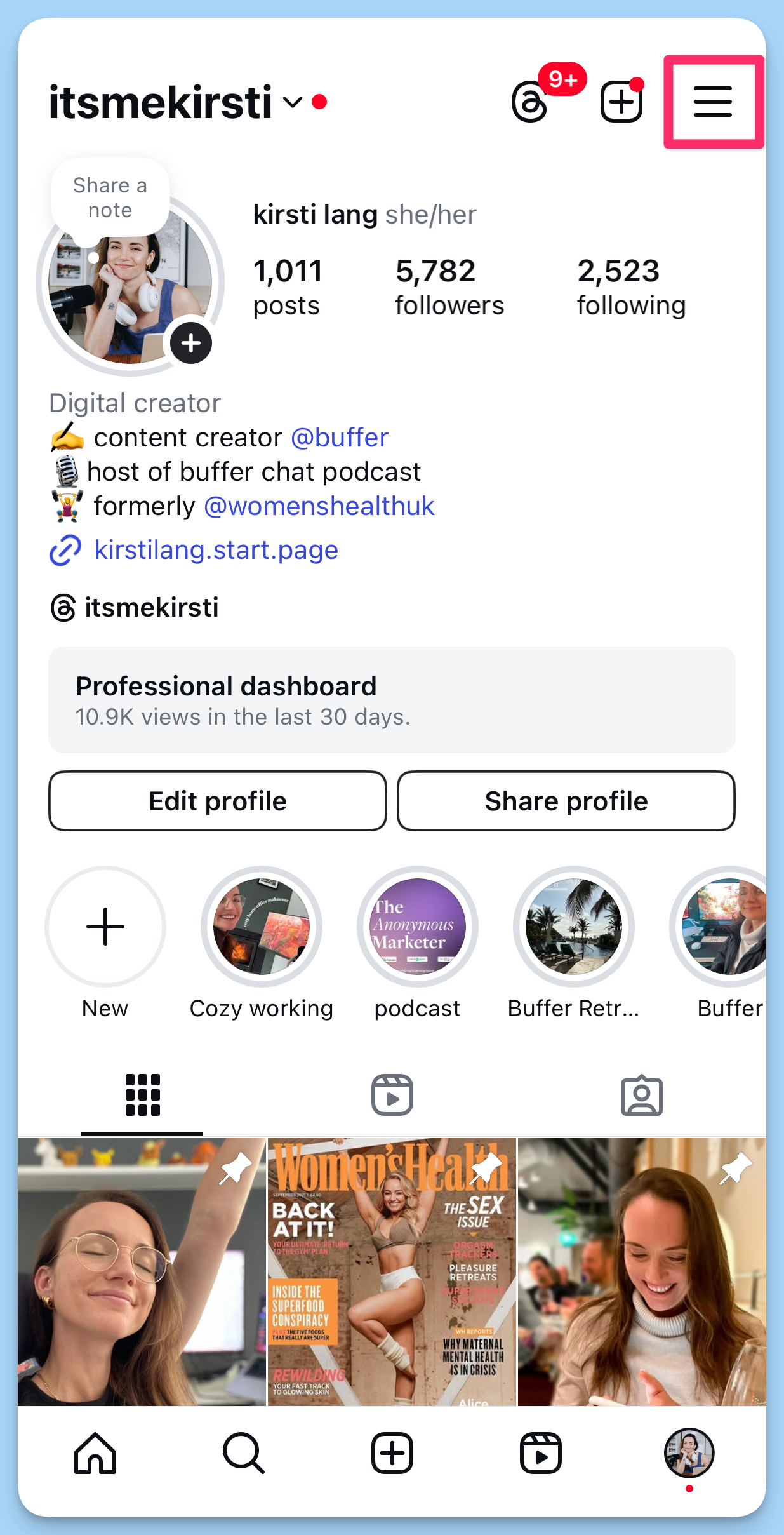
- Tap the hamburger menu (the three lines on the top right).
- Choose Meta Verified. Read through the explainer, then tap Next.
- Choose which Meta accounts you’d like verified.
- Confirm and pay. Meta often offers a discounted first month, so keep an eye out for that. From here on out, you’ll be charged the Meta Verified monthly subscription fee unless you cancel, and you can cancel anytime. It could take up to 48 hours for your blue check (and all the benefits) to appear.
⚡ Keep in mind: Features, availability, and pricing may vary by region and app, so what you see might differ slightly depending on where you are.
2. Get Verified on Instagram as a Notable Figure
This route to getting Instagram verification may be free, but there are a few more hoops to jump through. You’ll need to request your verified badge from Instagram.
Here’s a step-by-step guide to the verification process for notable figures.
Step 1. Follow Standard Best Practices on Instagram
To be eligible for your verified badge, your account must follow Instagram’s Terms of Use and Community Guidelines, represent a real person or business, be the unique presence of that person or business, and have a complete profile — including a bio, profile photo, and at least one post. Your account must also be public.
Step 2. Make Sure You Are “Notable”
Instagram defines notable as someone who is “widely known” and “highly searched for.” According to Instagram, they review accounts that represent well-known, highly searched-for people, brands, and entities. They look at whether the account is featured in multiple news sources, and they don’t consider paid or promotional content as news sources.
Step 3. Submit a Verification Request
To submit your request:
- Go to your Instagram profile and tap the hamburger menu (three lines) in the top right.
- Tap Settings, then Account, then Request Verification.
- Enter your full name and provide the required documentation. You’ll need to submit a form of ID — for an individual, that’s a government-issued photo ID; for a business, official business documents.
- Tap Send.
Instagram will notify you whether your request was approved or denied. If denied, you can submit another request after 30 days.
3 Tips to Get Verified as a Notable Figure
Applying for the free verified badge is straightforward, but approval is not guaranteed. Here are a few things that can improve your chances.
Build Your Presence Outside of Instagram
Instagram looks for accounts featured in multiple news sources. Getting coverage from reputable, non-paid media outlets — whether that’s press mentions, interviews, or editorial features — strengthens your case for notability.
Keep Your Profile Complete and Consistent
A complete profile signals legitimacy. Make sure your username, display name, bio, and profile photo are consistent with how you appear elsewhere online, including your website and other social platforms.
Be Patient and Persistent
Notable figure applications can take up to 30 days to process. If your request is denied, use the waiting period to continue building your public presence and media coverage before reapplying.
FAQs About Instagram Verification
How much does Meta Verified cost? Meta Verified starts at $14.99 per month on iOS and Android.
Can businesses get verified on Instagram? Yes. Meta Verified offers plans for both individual creators and businesses. Businesses can also apply for a free verified badge if they meet Instagram’s notability requirements.
What happens if my notable figure application is denied? You can reapply after 30 days. Instagram will notify you of the decision through the app.
Does verification help with reach and engagement? There is no confirmed evidence that verification directly improves reach or engagement on Instagram.
Whether you choose the paid Meta Verified route for its speed and added perks, or pursue the free notable figure badge for its credibility, getting verified on Instagram is a worthwhile goal for creators and businesses looking to build trust with their audience.